
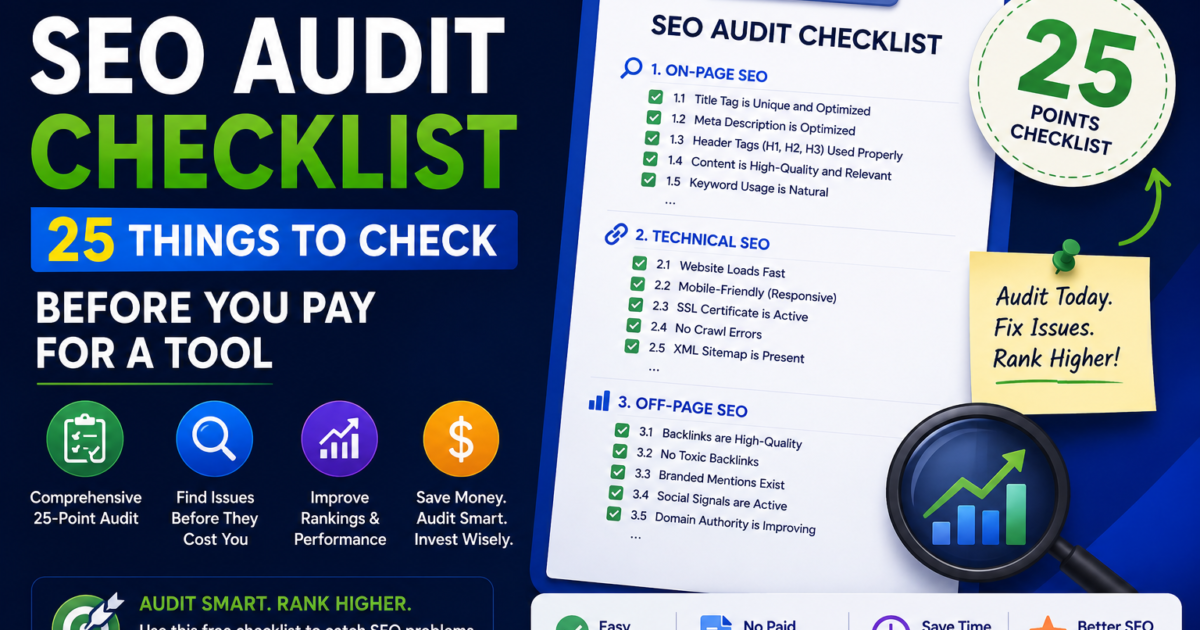
Most “complete” SEO audit checklists online have 47, 55, or even 70 items. They are thorough. They are also, for most people running a single website, completely impractical. By item 12 you are deep in backlink spam scores and hreflang configuration, and the actual reason your site isn’t ranking a missing sitemap, or a noindex tag nobody remembers adding is buried somewhere in the list, unaddressed.
- Before you start: set a baseline
- Part 1: Crawlability and indexing (8 checks)
- Part 2: Page experience and Core Web Vitals (5 checks)
- Part 3: On-page fundamentals (7 checks)
- Part 4: AI search readiness (5 checks — the part most checklists skip)
- Quick reference: the full checklist
- What to do once you’ve worked through the list
- Frequently Asked Questions
- Conclusion
This is a shorter list. Twenty-five checks, organised by what actually matters first. If you work through this in order, you will catch the issue causing 80% of the damage before you get anywhere near the advanced items that only matter once the fundamentals are solid.
You do not need to pay for anything to run through this list. Every check below uses either a free tool, a built-in browser feature, or a five-second manual look at your own site.
Before you start: set a baseline
Before changing anything, write down four numbers so you can measure whether your fixes worked. Open Google Search Console and note your current total clicks, total impressions, and average position over the last 28 days. Then open Google Analytics (or whatever analytics tool you use) and note your current organic sessions for the same period.
Without this baseline, you have no way to know in a month whether anything you changed actually helped.
Part 1: Crawlability and indexing (8 checks)
If Google cannot find or access your pages, nothing else on this list matters. Start here, every time.
1. Check whether your site is actually indexed. Type site:yourdomain.com into Google. If you see your pages listed, you’re indexed. If you see nothing or far fewer pages than you have published, that’s your first and most urgent problem to solve.
2. Confirm your sitemap exists and is current. Visit yourdomain.com/sitemap.xml or yourdomain.com/sitemap_index.xml directly in your browser. It should load and list your pages. If it 404s, your sitemap either doesn’t exist or is at a different URL — check your SEO plugin settings.
3. Submit your sitemap in Google Search Console. Search Console → Sitemaps → enter the URL → Submit. If it’s already submitted, check the “Last read” date. If that date is more than two weeks old and you’ve published new content since, something is preventing Google from re-crawling it regularly.
4. Check robots.txt isn’t blocking anything important. Visit yourdomain.com/robots.txt. Look for any Disallow: line. A single Disallow: / blocks your entire site from being crawled. This single line is one of the most common causes of a site that “should” rank but doesn’t show up anywhere.
5. Confirm there’s no accidental noindex on key pages. Right-click any important page → View Page Source → search for noindex. If you find <meta name="robots" content="noindex"> on a page that should be ranking, this is silently telling Google to ignore it.
6. Check your HTTP status codes. Run your homepage and your top 5 pages through httpstatus.io (free). Every important page should return a 200. Watch for unexpected 404s, or 301 redirect chains longer than one hop each extra redirect wastes crawl budget and slows the page.
7. Look for orphan pages. An orphan page is one with no internal links pointing to it anywhere on your site. If a page isn’t linked from your navigation, your homepage, or any other content, Google has no path to find it through normal crawling. It depends entirely on the sitemap, which is a weaker signal.
8. Check Search Console’s Coverage report for errors. Search Console → Indexing → Pages. Look at the “Why pages aren’t indexed” breakdown. Common culprits: “Crawled – currently not indexed” (content quality or duplication issue), “Discovered – currently not indexed” (crawl budget issue), and “Excluded by noindex tag” (a setting issue you can fix immediately).
Part 2: Page experience and Core Web Vitals (5 checks)
Once Google can find your pages, the next question is whether visiting them is a good experience for users and for the algorithm.
9. Check your Largest Contentful Paint (LCP). Run your homepage through PageSpeed Insights on the mobile tab specifically. LCP under 2.5 seconds is good. Over 4 seconds is poor, and it is very likely costing you both rankings and conversions. Portent’s 2025 conversion research found that every additional second of load delay reduces conversions by roughly 4.4%.
10. Check your Interaction to Next Paint (INP). Same tool, same report. INP under 200 milliseconds is good. This metric replaced First Input Delay in March 2024 and measures how responsive your site feels when someone actually clicks or taps something.
11. Check your Cumulative Layout Shift (CLS). Still the same report. CLS under 0.1 is good. If your score is high, the most common cause is images without defined width and height attributes, or a cookie banner that pushes content down after the page has already loaded.
For the full walkthrough of how to fix any of these three metrics specifically including exact code snippets. See our complete Core Web Vitals guide.
12. Test on an actual mid-range phone, not just your laptop. PageSpeed Insights simulates a mid-range device on a throttled connection deliberately, because that’s a more realistic picture of your average visitor than your own fast wifi and modern laptop. If you’ve never tested your site this way, your perception of how fast your site “feels” is probably wrong.
13. Check for mixed content warnings. Open your site in Chrome, press F12 to open DevTools, and check the Console tab for any “mixed content” warnings. These happen when an HTTPS page loads an HTTP resource, and they can trigger browser security warnings that scare visitors away before they read a word of your content.
Part 3: On-page fundamentals (7 checks)
With crawlability and page experience handled, this is where most of the actual ranking signal lives.
14. Check every page has a unique title tag. View the source of your top 10 pages and confirm no two have identical <title> tags. Duplicate titles confuse Google about which page should rank for what, and are one of the most common on-page issues found across audited sites.
15. Check title tag length. Title tags between 50 and 60 characters display fully in search results without truncation. Run yours through a free SERP snippet preview tool to see exactly how they’ll appear.
16. Check every key page has a meta description. Missing meta descriptions mean Google writes its own usually pulling an awkward sentence fragment from the page rather than the persuasive summary you’d write yourself. Aim for 150–160 characters that genuinely describe the page and encourage a click.
17. Check your heading structure. Every page should have exactly one H1. Below it, H2s and H3s should follow a logical hierarchy — not skip levels, not be used purely for visual styling unrelated to content structure. View source or use your browser’s accessibility inspector to check this quickly.
18. Check image alt text. Missing alt text is one of the single most common on-page issues found across audited websites one industry analysis found it present in roughly 78% of all on-page issues flagged. Beyond accessibility, alt text gives Google context about images it cannot otherwise interpret, and it matters for image search visibility too.
19. Check for thin or duplicate content. Pages with very little unique text, or pages that are near-copies of each other (common with location pages or filtered product pages) dilute your site’s overall authority. If two pages are targeting the same intent, consider merging them rather than letting them compete with each other.
20. Check your internal linking. Open your three most important pages and count how many other pages on your site link to each of them. If the answer is zero or close to it, you’re not distributing authority to the pages that matter most for your business.
Part 4: AI search readiness (5 checks — the part most checklists skip)
This is the section almost no other free SEO checklist online includes properly, and it’s increasingly the reason traffic doesn’t convert even when rankings look fine.
21. Check whether AI crawlers can access your site. Open your robots.txt again and look specifically for any block on GPTBot, PerplexityBot, Google-Extended, or similar AI crawler user-agents. If these are blocked, your content cannot be retrieved or cited by ChatGPT, Perplexity, or Google’s AI Overviews regardless of how good the content is.
22. Check for FAQ schema on your key pages. View source and search for "@type": "FAQPage". If it’s missing from pages that answer common questions, you’re leaving a significant AI citation opportunity unclaimed. Validate any schema you do have at Google’s Rich Results Test.
23. Check whether your headings are phrased as questions. Answer engines parse heading structure to match user queries. A heading like “What is X?” is far more likely to be matched and cited than a generic heading like “Overview.” Look at your top 5 pages and count how many headings are genuinely phrased as the question a reader would type.
24. Check whether your content answers the question immediately. Below each heading, is there a direct, 40–60 word answer in the first two sentences or does the page meander for several paragraphs before getting to the point? AI systems extracting answers strongly prefer the former.
For a full breakdown of how this works and why it matters, our AEO guide covers every signal in detail, and you can check your AEO score directly with our free AEO checker.
25. Check whether your brand is mentioned anywhere else on the web. Search your brand name in Google with quotes around it. Beyond your own site, how many other places mention you directories, forums, comparison articles, reviews? Research from Ahrefs analysing 76 million AI Overviews found that brand mentions correlate with AI citation probability more strongly than backlinks do. If your brand name returns almost nothing outside your own domain, that’s a real gap for AI visibility specifically. Our GEO guide covers what to do about it.
Quick reference: the full checklist
| # | Check | Tool needed | Fix urgency |
|---|---|---|---|
| 1 | Site is indexed | Google search | Critical |
| 2 | Sitemap exists | Browser | Critical |
| 3 | Sitemap submitted | Search Console | Critical |
| 4 | robots.txt not blocking | Browser | Critical |
| 5 | No accidental noindex | View source | Critical |
| 6 | HTTP status codes clean | httpstatus.io | High |
| 7 | No orphan pages | Manual review | High |
| 8 | Coverage report clean | Search Console | High |
| 9 | LCP under 2.5s | PageSpeed Insights | High |
| 10 | INP under 200ms | PageSpeed Insights | Medium |
| 11 | CLS under 0.1 | PageSpeed Insights | Medium |
| 12 | Tested on mobile | PageSpeed Insights | Medium |
| 13 | No mixed content | Chrome DevTools | Medium |
| 14 | Unique title tags | View source | High |
| 15 | Title tag length 50–60 chars | SERP preview tool | Medium |
| 16 | Meta descriptions present | View source | Medium |
| 17 | Heading hierarchy clean | View source | Medium |
| 18 | Image alt text present | View source | Medium |
| 19 | No thin/duplicate content | Manual review | High |
| 20 | Internal linking adequate | Manual review | Medium |
| 21 | AI crawlers not blocked | robots.txt | High |
| 22 | FAQ schema present | View source + Rich Results Test | Medium |
| 23 | Question-based headings | Manual review | Medium |
| 24 | Direct-answer paragraphs | Manual review | Medium |
| 25 | Brand mentioned externally | Google search | Low (but compounding) |
What to do once you’ve worked through the list
Going through 25 manual checks by hand takes a couple of hours and gets you most of the way there. If you’d rather see all of this automatically, run your URL through our free SEO audit tool it checks all 25 of these items plus 35 more, scores your AEO and GEO readiness, and exports as a branded PDF if you ever need to share it with a client or business partner. No signup required.
If you found several Critical or High items above, fix those first and re-run PageSpeed Insights and Search Console’s coverage report after a week to confirm Google has picked up the changes. Don’t try to fix all 25 in one sitting prioritise by the urgency column above and work through it over a few days.
Frequently Asked Questions
What is a free SEO audit?
A free SEO audit is an evaluation of a website’s search engine optimisation health using free tools rather than paid software or a hired consultant. It typically covers crawlability, page speed, on-page factors like title tags and headings, and increasingly in 2026, AI search readiness signals like FAQ schema and question-based content structure. A thorough free audit can be done manually using Google Search Console, PageSpeed Insights, and a few browser checks, or automatically using a free audit tool.
How long does a basic SEO audit take?
Working through a focused checklist like this one manually takes roughly 1 to 2 hours for a typical small business website. Using an automated free audit tool reduces this to under a minute, though manual review of the findings understanding what each issue means and deciding what to prioritise still takes some time regardless of which method you use.
Do I need to pay for an SEO audit?
Not for a basic audit. Google Search Console, Google PageSpeed Insights, and free audit tools like SEO Inspector Hub cover the checks most small business websites need. Paid audits become worth considering when you need competitive backlink analysis, content gap analysis against specific competitors, or an experienced second opinion on strategy work that goes beyond what automated free tools can evaluate.
What’s the most common SEO issue found in audits?
Missing or poorly optimised image alt text is among the most frequently found on-page issues one analysis found it accounts for roughly 78% of flagged on-page issues across audited sites. Beyond alt text, accidental noindex tags, missing or outdated sitemaps, and unresolved Core Web Vitals failures are the next most common issues seen across a wide range of websites.
Should a free SEO audit check for AI search readiness?
Yes, and this is the area most free audit checklists and tools still don’t cover properly. With AI platforms generating well over a billion referral visits monthly and Google AI Overviews appearing on a large share of informational searches, checking whether your robots.txt blocks AI crawlers, whether you have FAQ schema, and whether your content is structured for direct-answer extraction has become as important as traditional technical SEO checks.
How often should I run an SEO audit?
A light audit covering the Critical and High priority items in this checklist is worth running monthly, especially after publishing new content or making site changes. A full audit covering all 25 items is reasonable quarterly, or immediately after any site redesign, migration, or significant traffic drop.
Conclusion
Most SEO audit checklists try to cover everything a senior consultant might check across a full enterprise engagement. That thoroughness is valuable for an agency working a retainer client, but it buries the handful of issues that are actually wrong with most small business websites under forty items that don’t apply yet.
Work through these 25 in order. Fix the Critical items first. Most sites see the biggest improvement from solving one or two foundational issues a blocked robots.txt, a missing sitemap, an accidental noindex rather than from polishing every minor detail on the list.
Run the full 60-point automated version free →
Related guides: How to Check Core Web Vitals Free · What is AEO? A Complete Guide · What is GEO? · AEO vs GEO vs SEO · White Label SEO Reporting Guide
Related tools: Free SEO Audit Tool · AEO Checker · GEO Checker · Core Web Vitals Checker
Sources referenced:
- Portent, 2025 conversion rate impact of page load delay
- Ahrefs Brand Radar – brand mention vs backlink correlation with AI citation
- Industry analysis of common on-page issues – image alt text prevalence
- Google Search Central – crawling and indexing documentation

![Free White Label SEO Audit Tools: Honest Comparison [2026]](https://seoinspectorhub.com/blog/wp-content/uploads/2026/06/Free-White-Label-SEO-Audit-Tools-800x450.png)